

Topo EDC Dump Tray
Your pockets carry a lot. Give that gear a place to land.
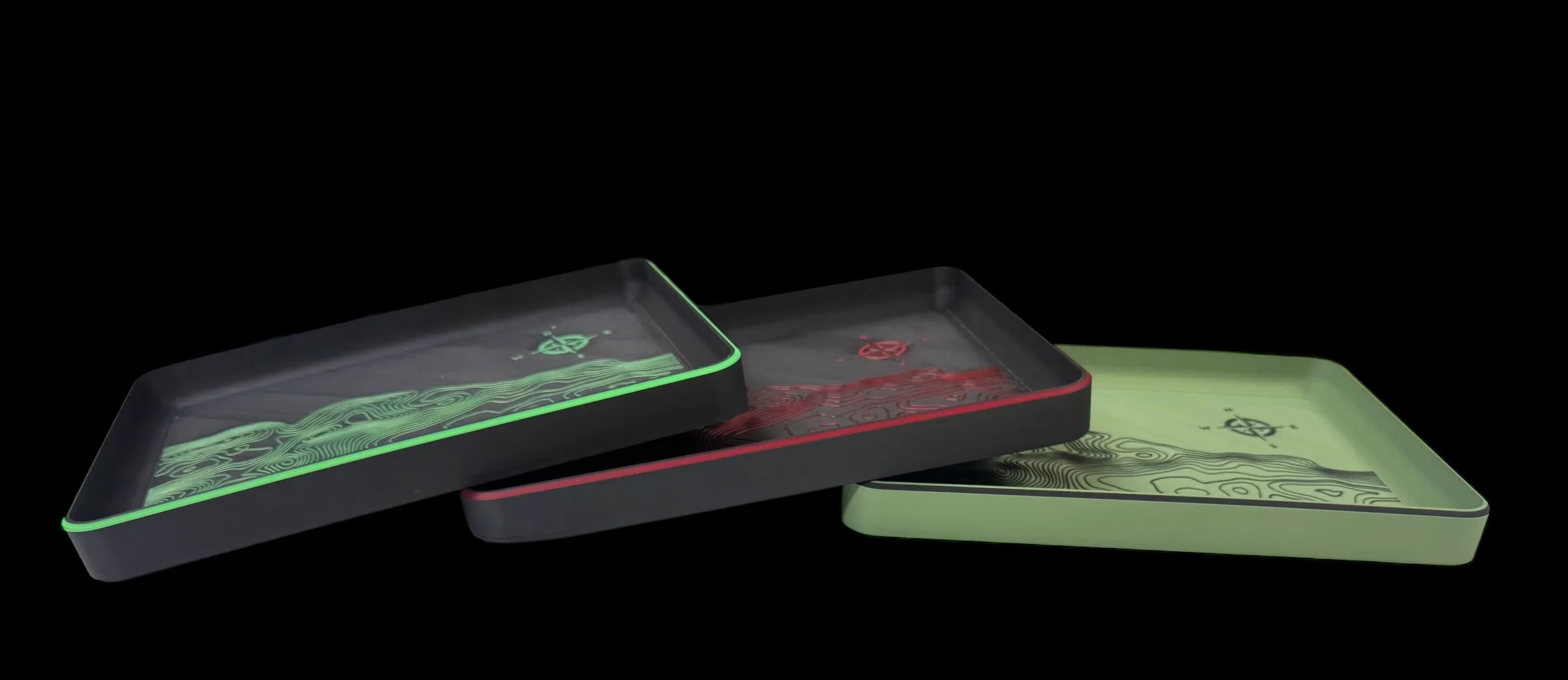
The Topographic EDC Dump Tray is built to corral the daily chaos. Keys, knife, wallet, light, coins, pocket junk… drop it all in one place and keep your gear where you can actually find it.
The topo pattern brings a rugged map-style look that feels right at home on a desk, workbench, nightstand, or gear station.
Low profile, durable, and built to handle the daily dump.
Features
-
Topographic pattern finish
-
Perfect for EDC gear, keys, wallet, knife, and small tools
-
Keeps your daily carry organized and easy to grab
-
Clean, rugged look for desk, nightstand, or shop
-
3D printed in PLA+ to last
- 9.25"x 7"x.75"
At the end of the day, empty your pockets.
Your gear deserves a landing zone.
Choose from colors listed or use the custom option and leave me a note what color combo you want. Want a name, date, quote, team, saying on the left corner? Use the add text option and add that to the notes. *You must add the tray of choice AND the Add Text Option for added text*
Original: $5.00
-65%$5.00
$1.75Product Information
Product Information
Shipping & Returns
Shipping & Returns
Description
Your pockets carry a lot. Give that gear a place to land.
The Topographic EDC Dump Tray is built to corral the daily chaos. Keys, knife, wallet, light, coins, pocket junk… drop it all in one place and keep your gear where you can actually find it.
The topo pattern brings a rugged map-style look that feels right at home on a desk, workbench, nightstand, or gear station.
Low profile, durable, and built to handle the daily dump.
Features
-
Topographic pattern finish
-
Perfect for EDC gear, keys, wallet, knife, and small tools
-
Keeps your daily carry organized and easy to grab
-
Clean, rugged look for desk, nightstand, or shop
-
3D printed in PLA+ to last
- 9.25"x 7"x.75"
At the end of the day, empty your pockets.
Your gear deserves a landing zone.
Choose from colors listed or use the custom option and leave me a note what color combo you want. Want a name, date, quote, team, saying on the left corner? Use the add text option and add that to the notes. *You must add the tray of choice AND the Add Text Option for added text*